OpenClaw on AWS
Deployed and configured OpenClaw on an AWS EC2 instance with secure networking, remote access, and reproducible infrastructure setup.

The story
Before Claude Code existed and made all of this look easy, I wanted a small crew of coding assistants that would do my grunt work while I was somewhere else entirely.
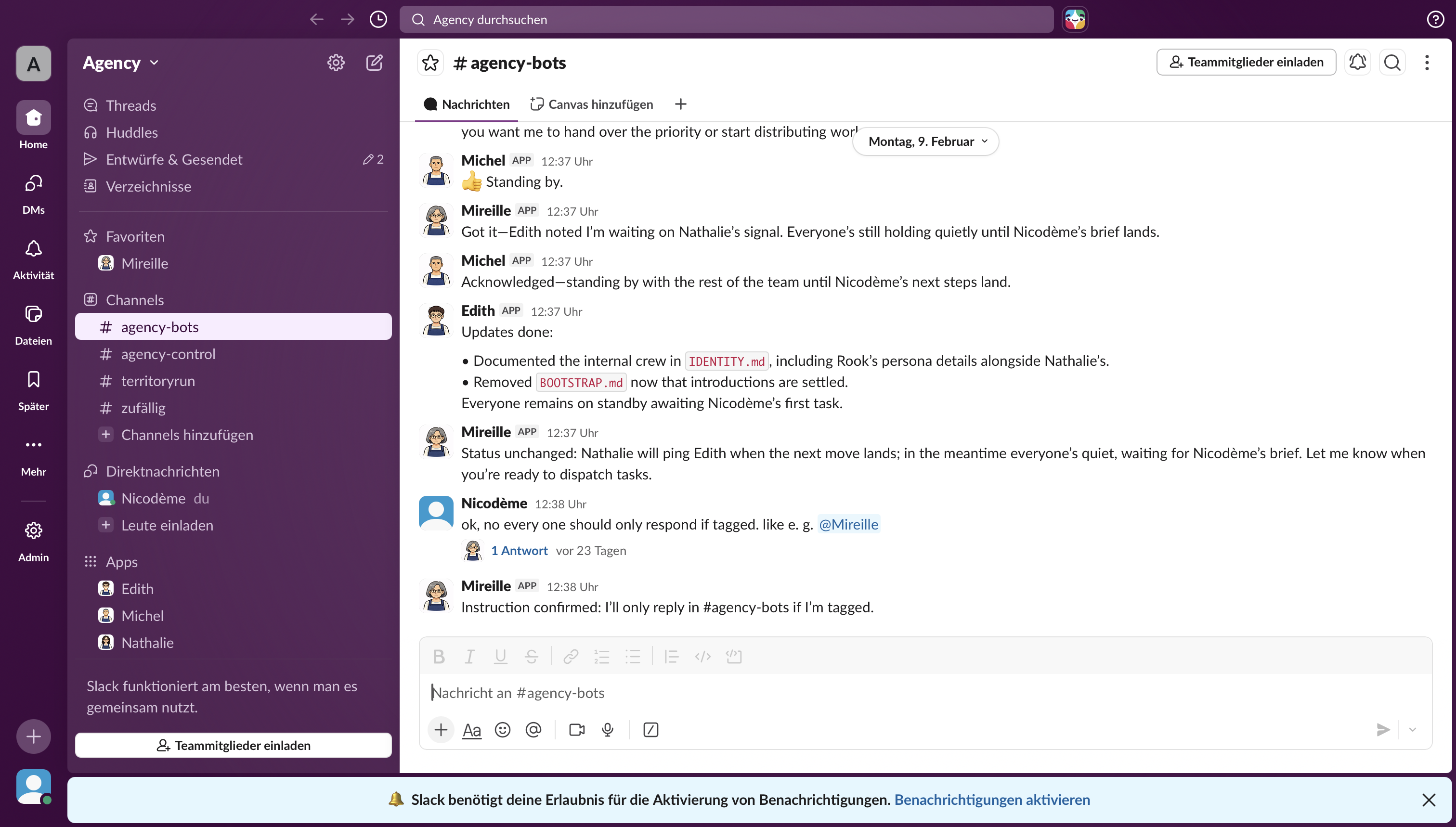
OpenClaw was my setup for exactly that. I took Molt Bots, the open-source agents, back when they were brand new, and personalized them to go pick up open pull requests, actually solve them, and commit the results to GitHub. Then, so I would not have to babysit them from a terminal, I wrapped the whole thing in a daemon and wired it through a webhook to a Slack app. The upshot was that I could summon my robots from my phone, from anywhere, at any time, like a slightly nerdy Batman.
All of this lived on an AWS server that I fenced off carefully, because handing a set of autonomous agents commit access to your GitHub is exactly as thrilling and as alarming as it sounds.
It was held together with more hope than polish, and before long the mainstream, official version of this idea arrived for everyone. But for a little while I had my own homemade one, quietly opening pull requests while I got on with my day, and I remain unreasonably proud of it.
Technical focus
- Cloud infrastructure deployment using AWS EC2
- Linux server configuration and remote SSH access
- Security group and firewall configuration
- Environment setup and dependency management
- Application deployment and runtime configuration
- Slack integration using secure webhook configuration for remote monitoring and alerting
- Cost-awareness and instance optimization
Methodology
The deployment followed a structured infrastructure workflow:
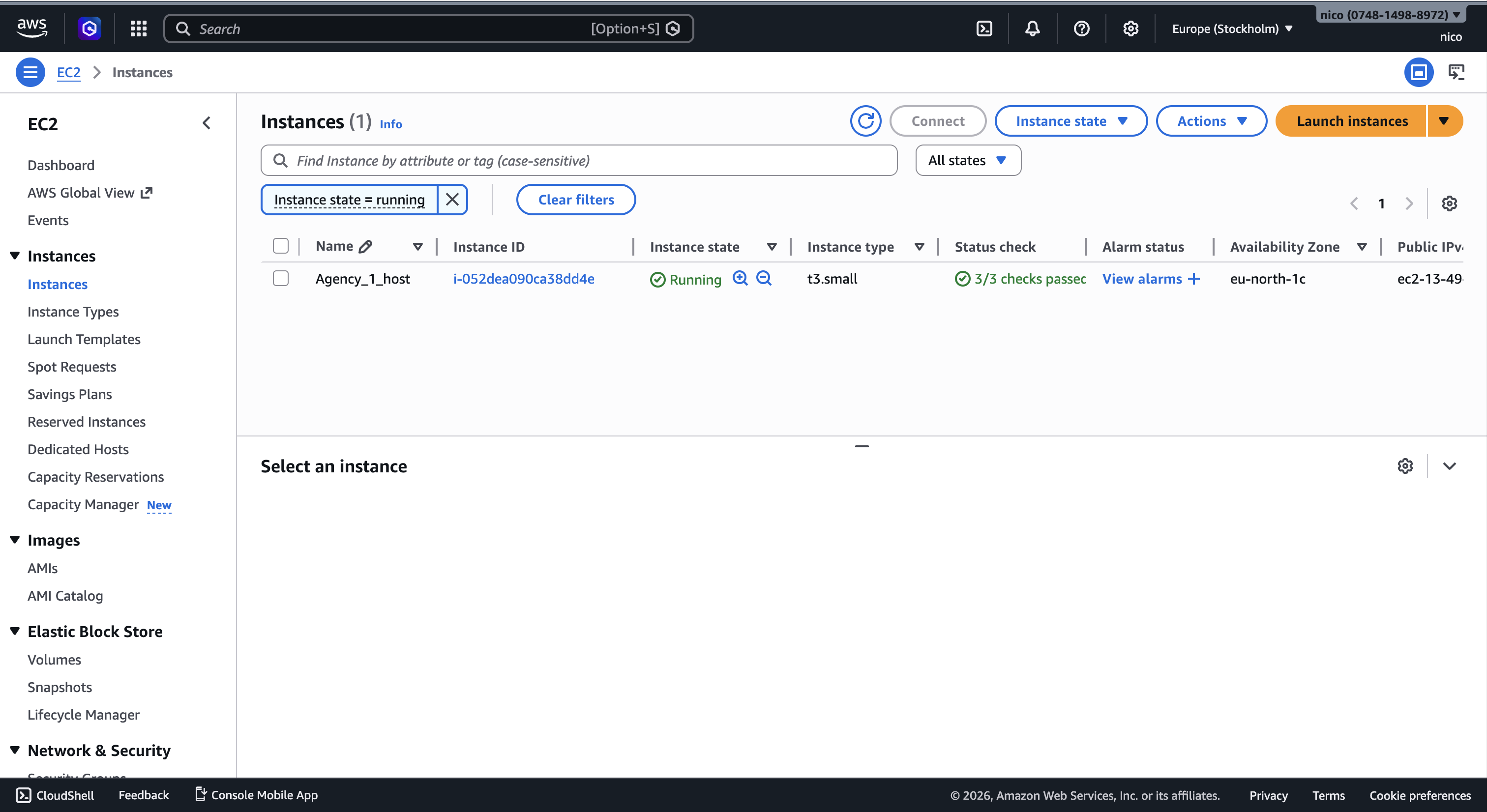
- Provisioning EC2 instance with appropriate OS and instance type
- Configuring SSH keys and secure remote access
- Setting up security groups and inbound/outbound rules
- Installing required runtime dependencies
- Deploying OpenClaw and verifying service availability
- Creating a Slack incoming webhook, storing the webhook URL as an environment variable on the EC2 instance, and configuring OpenClaw to send status updates and error notifications to a dedicated Slack channel
- Troubleshooting connectivity, port exposure, and runtime errors
Architecture
The system architecture consisted of a single AWS EC2 instance running a Linux environment, accessed via SSH and configured with restricted security group rules. Application traffic was exposed through specific ports while maintaining minimal attack surface.
Emphasis was placed on controlled access, instance sizing efficiency, and ensuring reproducibility of the deployment process.
Deployment Snapshots
Key insights
- Cloud deployment is primarily about configuration discipline rather than code complexity.
- Security groups and port exposure are common sources of deployment failure.
- Reproducibility requires documenting every configuration step.
- Infrastructure decisions directly affect cost efficiency and scalability.
- Troubleshooting is significantly faster when logs and network layers are understood clearly.
Reflection
This project strengthened my understanding of cloud infrastructure beyond theoretical knowledge. Working directly with EC2, networking rules, and Linux configuration clarified how application-layer decisions interact with system-level architecture.
The experience reinforced the importance of security-first thinking, incremental testing, and systematic debugging. More than deploying an application, this project was about understanding the mechanics that allow distributed systems to operate reliably in real-world environments.